UX Design

Wireframes: designing the structure before building everything.

A wireframe is the blueprint of a digital space before it is given its colour and final form. A fast, iterative step that is far less expensive to correct than a full UI design or a product in production.

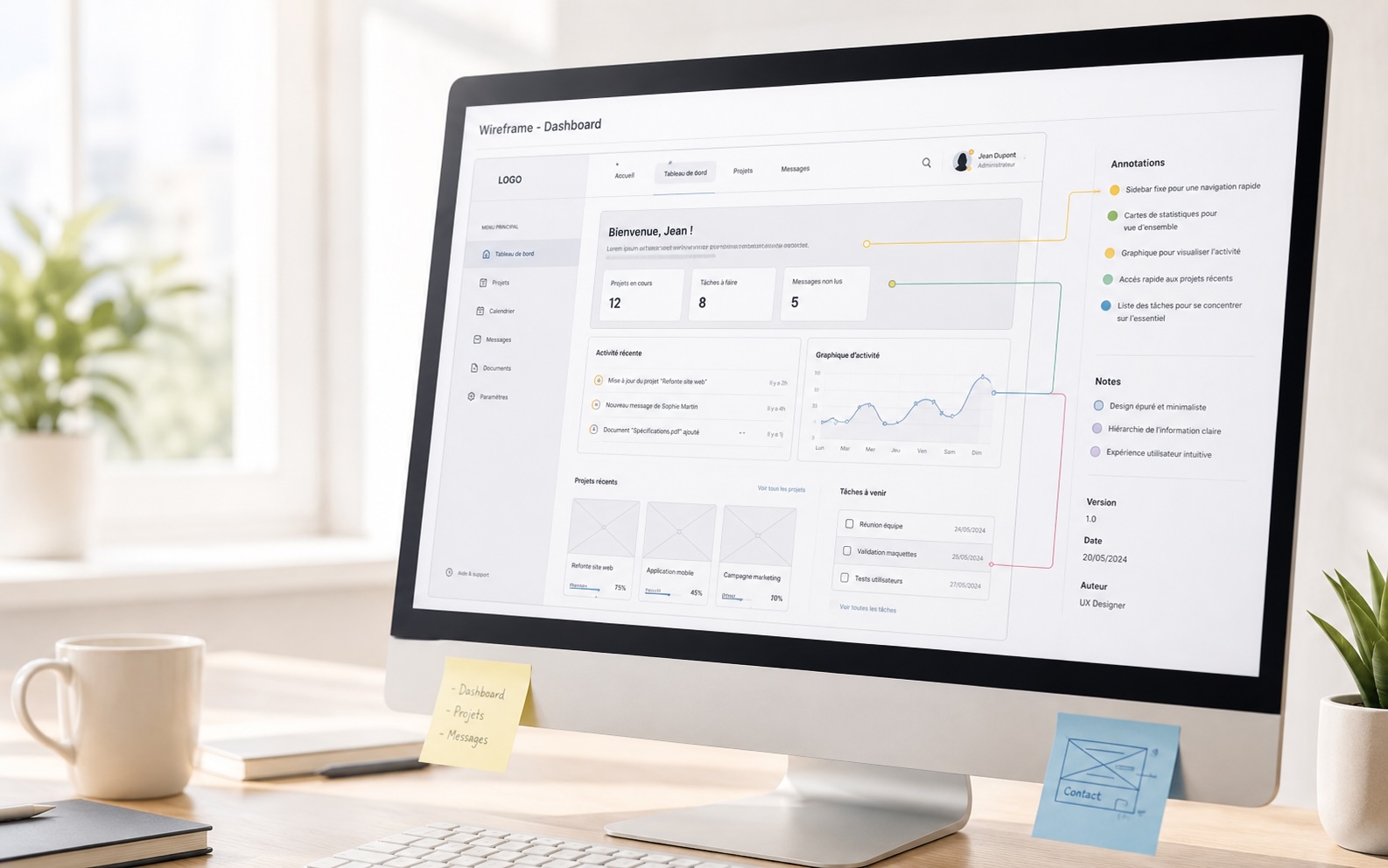
UX wireframes on a whiteboard: structure of an interface being designed
What is a wireframe?

Set the structure before deciding on the style.

A wireframe represents the structure of an interface: where the blocks are, in what order, with what hierarchy. It defines journeys, screen sequences and organisation decisions, without being distracted by colours or fonts.

A wireframe can also illustrate screen behaviours: what happens on click, how a modal opens, what state a form is in after validation. These annotated interactions complement the functional analysis and give teams a clear picture of the expected result, without waiting for development.

  • Validate an information architecture early, before any technical investment.
  • Align stakeholders on a journey without debating visual tastes.
  • Illustrate screen behaviours and states to complement functional specifications.
  • Identify flow inconsistencies before they become expensive to fix.
  • Prepare a solid base for user testing or for UI design.
Two approaches

Classic or high-fidelity: depending on who you're talking to.

The choice of format depends on the client, the context and the people involved. Some read a black-and-white wireframe very well. Others need to project themselves into something more concrete to validate or test.

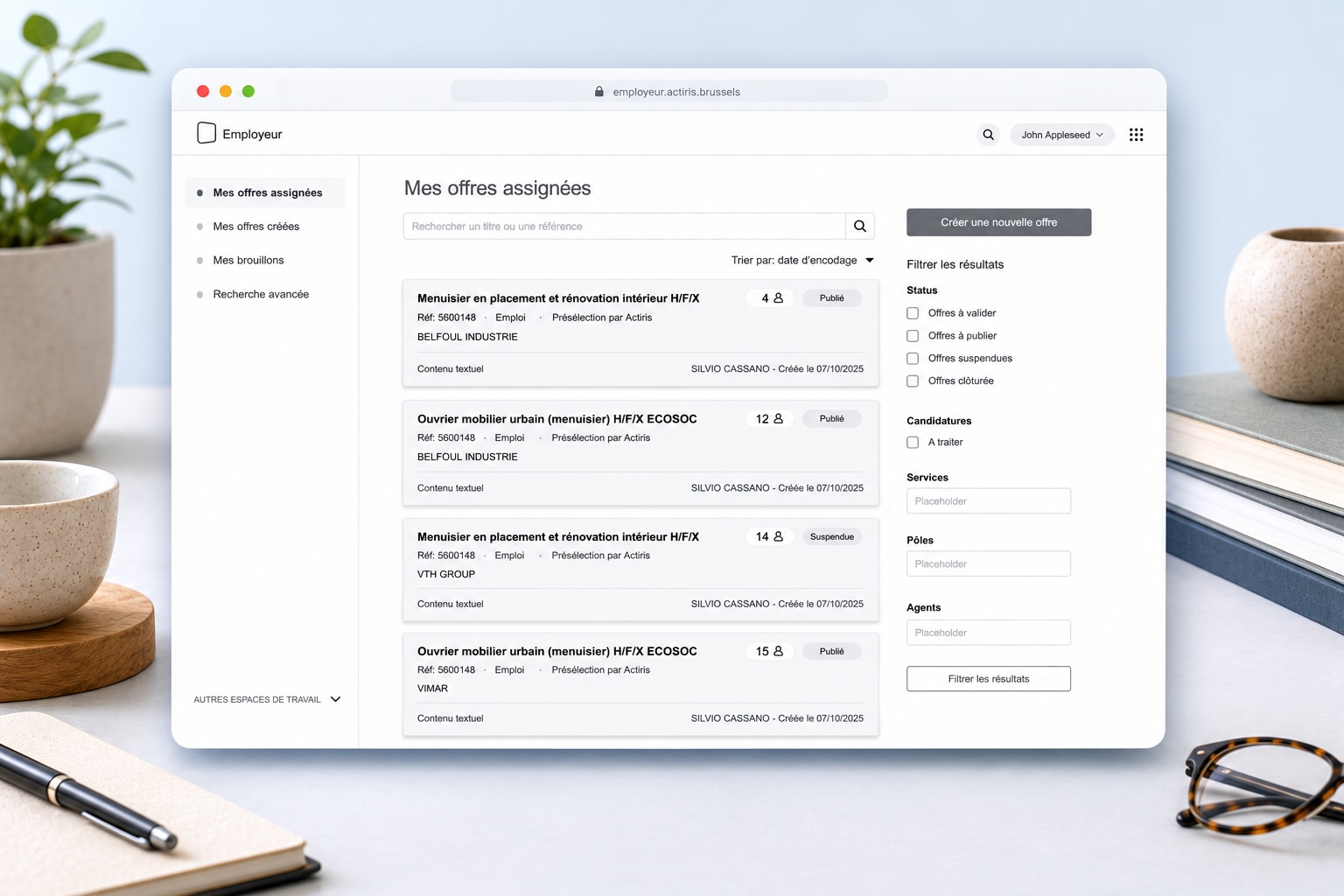
Classic wireframe

Example of a classic black-and-white wireframe for Actiris

Black and white, with no colour or final image. Blocks, content areas, buttons and navigation paths are represented with greys and schematic shapes. The goal is to reason about structure, not aesthetics.

This format suits product and design teams used to reading conceptual mockups, internal framing workshops, and the first iterations where everything can still change quickly.

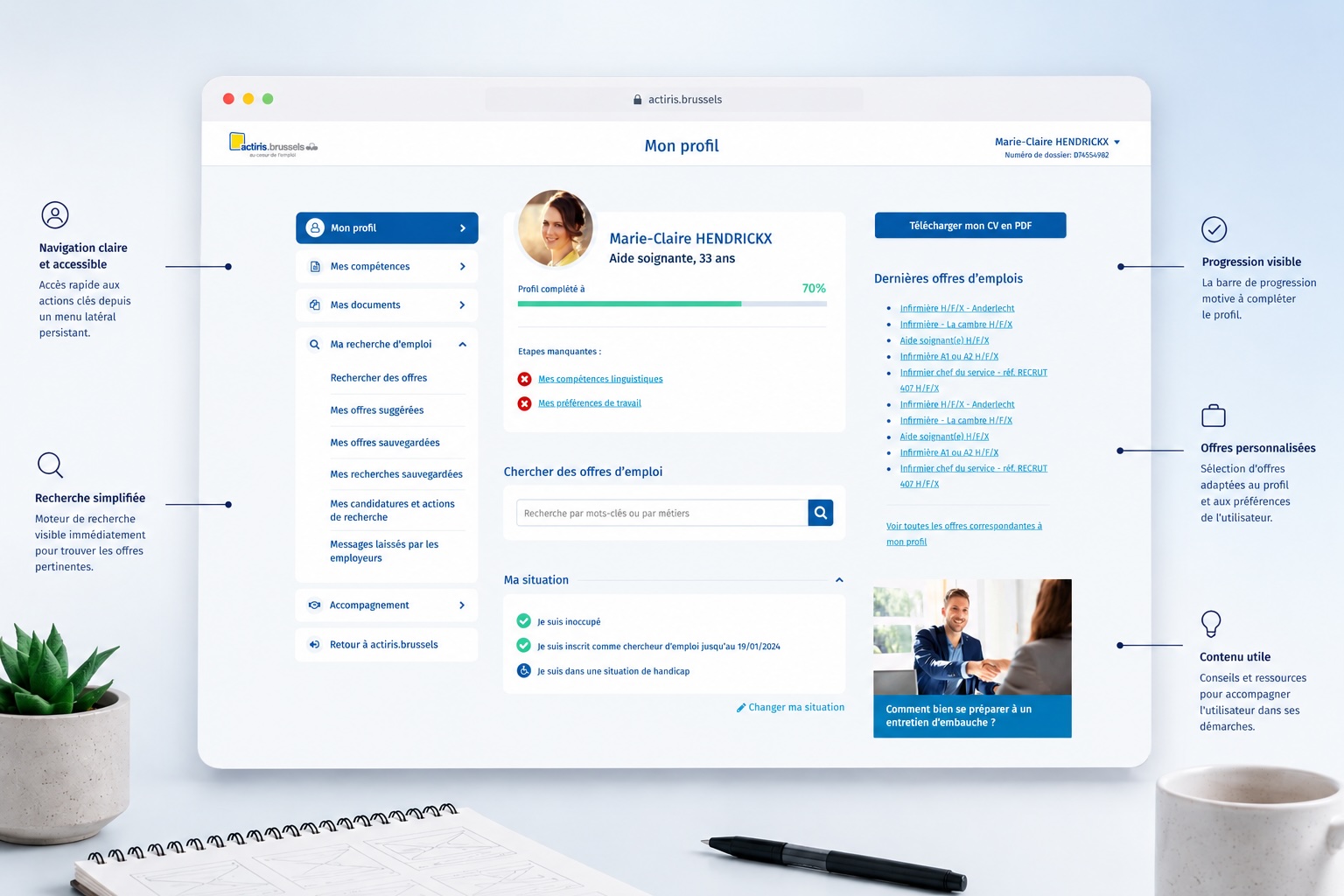
High-fidelity wireframe

Example of a high-fidelity colour wireframe for Actiris

With colours, typography close to reality and real or realistic content. It is not yet a finalised UI design, but the interface is close enough to the final product for everyone to project themselves, including non-technical stakeholders or users in testing.

This format is particularly useful during client presentations, validations with decision-makers, or when testing sessions need an interface dynamic enough to trigger authentic reactions.

Why prototype early

In both cases, faster than a UI design.

Whether classic or high-fidelity, a wireframe is designed and iterated far faster than a full UI design. Ideas are tested, blocks moved, a journey restructured in a few hours. Fixing at this stage costs almost nothing.

1

Frame the scope

Identify the journeys to model, the key features, the known technical constraints and the user profiles involved.

2

Choose the format

Classic or high-fidelity, depending on the target audience: decision-makers, product teams, or end users involved in testing.

3

Iterate quickly

Revise the structure based on feedback, without ever getting stuck on visual details. Each feedback cycle takes a few hours, not several days.

4

Validate or test

Present to stakeholders for alignment, or use directly in user testing sessions to observe real behaviour before any development.

Deliverables

Files ready to use as soon as the mission ends.

Wireframes are delivered as a shared Figma or Axure file, with screens organised by journey, behaviour annotations and, if needed, a clickable prototype for testing or presentations. Design and development teams can take them over directly.

Figma or Axure

Shared file with annotated screens, navigation flows and a clickable prototype.

Example of a classic black-and-white UX wireframe
Classic wireframe
Example of a high-fidelity colour wireframe
High-fidelity wireframe